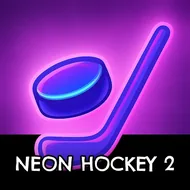
Neon Hockey 2
Instructions:
PLAYER 1 Left Mouse Touch left half of screen WASD Keyboard PLAYER 2 Right Touch right half of screen Arrows uarr darr larr rarr Keyboard PAUSE ESC or PDescription
Neon Hockey 2 Casual Fun Guide
Neon Hockey 2: Championship Edition brings the fast, satisfying rhythm of tabletop air hockey into a glowing retro visual style, pairing genuinely smooth physics-based puck movement with vibrant, eye-catching visual effects. Choosing between a significantly improved AI opponent across three difficulty levels or a genuine local two-player match on one shared device gives the format real flexibility depending on whether a friend happens to be around. The best-of-three periods format, with each period requiring seven goals to win, keeps matches feeling appropriately competitive without dragging on longer than a quick, satisfying session calls for.
Highlights
Customizable settings for mallet size and maximum puck speed give players genuine control over how fast and intense each match feels, letting newcomers ease into a slower pace while more experienced players crank up the intensity for a genuinely competitive challenge against friends or the improved AI opponent.
Key Combinations
- Player one uses the left mouse button or WASD on the left half of the screen.
- Player two uses touch or the arrow keys on the right half of the screen.
- Press ESC or P to pause the match at any point.
- Score seven goals within a period to win that specific round.
Fans of fast-paced arcade sports games will find plenty of charm here. The overall pacing rewards precise mallet control over frantic, careless swings. Its glowing retro visuals keep every match feeling genuinely lively throughout. Best of all, no downloads or installs are required to start playing right away.